Loading...
Developer Task Overview Dashboard
Internal dashboard that combines Jira and GitHub into a single view for active tasks, PRs, failing checks, branch conflicts, and follow-up items.
Internal Tools
Developer Tools
Frontend
Overview
This is an internal dashboard I built for a very practical problem: too much project state was spread across too many tabs.
During a normal workday I might need to know which Jira task is active, which pull request still has feedback, which build is red, whether a branch is ready for a PR, and whether something is already merged and waiting for testing. All of that information existed, but it was fragmented. The dashboard brings it into one place and turns it into a short list of things that need action.
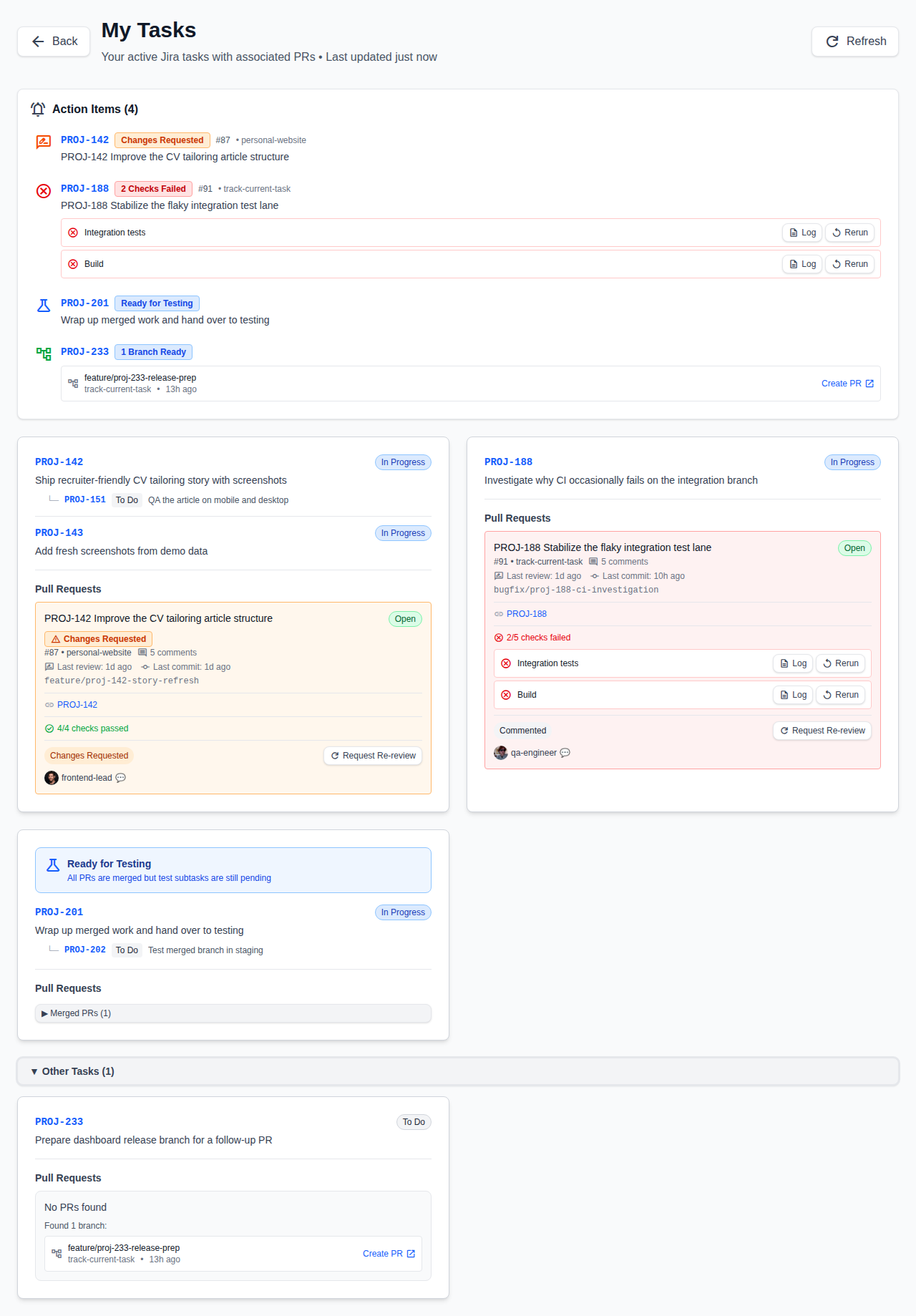
What the dashboard surfaces first
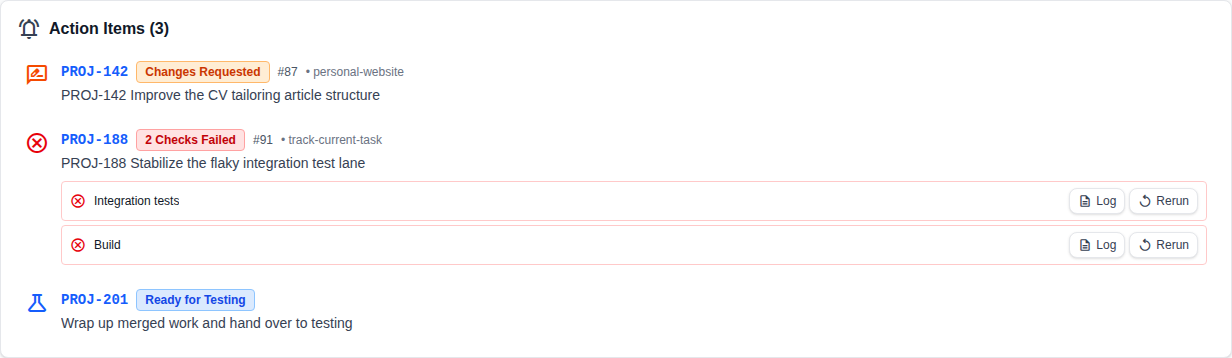
The top of the page is designed to answer one question quickly: what should I deal with next?
Instead of just listing tickets and PRs, it highlights the work that is actually blocked or waiting. That includes merge conflicts, failed checks, requested changes, tasks that are ready for testing, and branches that exist but still need a pull request.
Why the details matter
Each task card combines the Jira issue with the GitHub state around it. That means I can see review status, comment volume, recent activity, failed pipeline steps, and branch readiness without jumping between tools to reconstruct the story by hand.
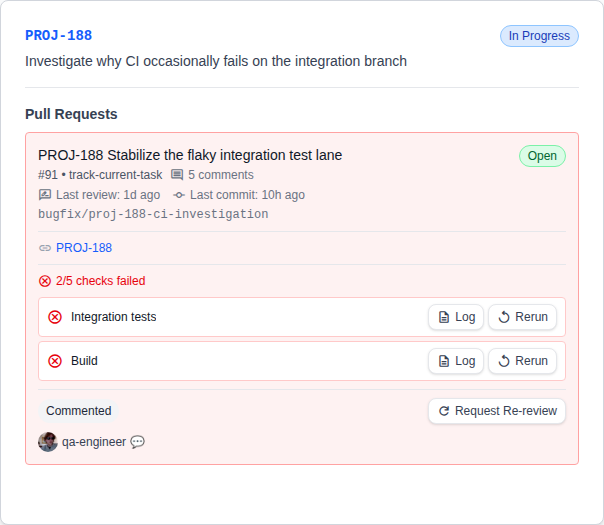
Why I built it
I wanted one screen that reduces context switching and makes follow-up work obvious. It is a developer-facing tool, but the value is straightforward: less overhead, fewer missed handoffs, and a faster path from "something needs attention" to "I know exactly what to do next."