Loading...
fullstack
A Hidden AI CV Tailoring Workflow Inside My Portfolio
A password-gated CV editor with AI tailoring, diff review, translation, and a browser-to-application workflow.
Impact: Turns a public CV into a private, reviewable workflow for tailoring applications faster
Full-Stack
AI
Frontend
Chrome Extension
A private workflow behind a public CV
This part of the site is not meant for normal visitors.
The public CV should stay calm, readable, and easy to scan for recruiters or clients. The editing tools only matter to me when I am tailoring an application, so I kept them hidden on purpose. Before this lived in the site, I used the same workflow locally on my own machine. That worked, but it was annoying: too many context switches, too much copy-paste, and no shared place where the polished public CV and the private editing workflow could live together.
So I merged them into one page. The public version stays clean. The working tools are there when I need them.
Step 1: the page looks normal until I need the workshop
For a normal visitor, the CV is just a CV. That is intentional.
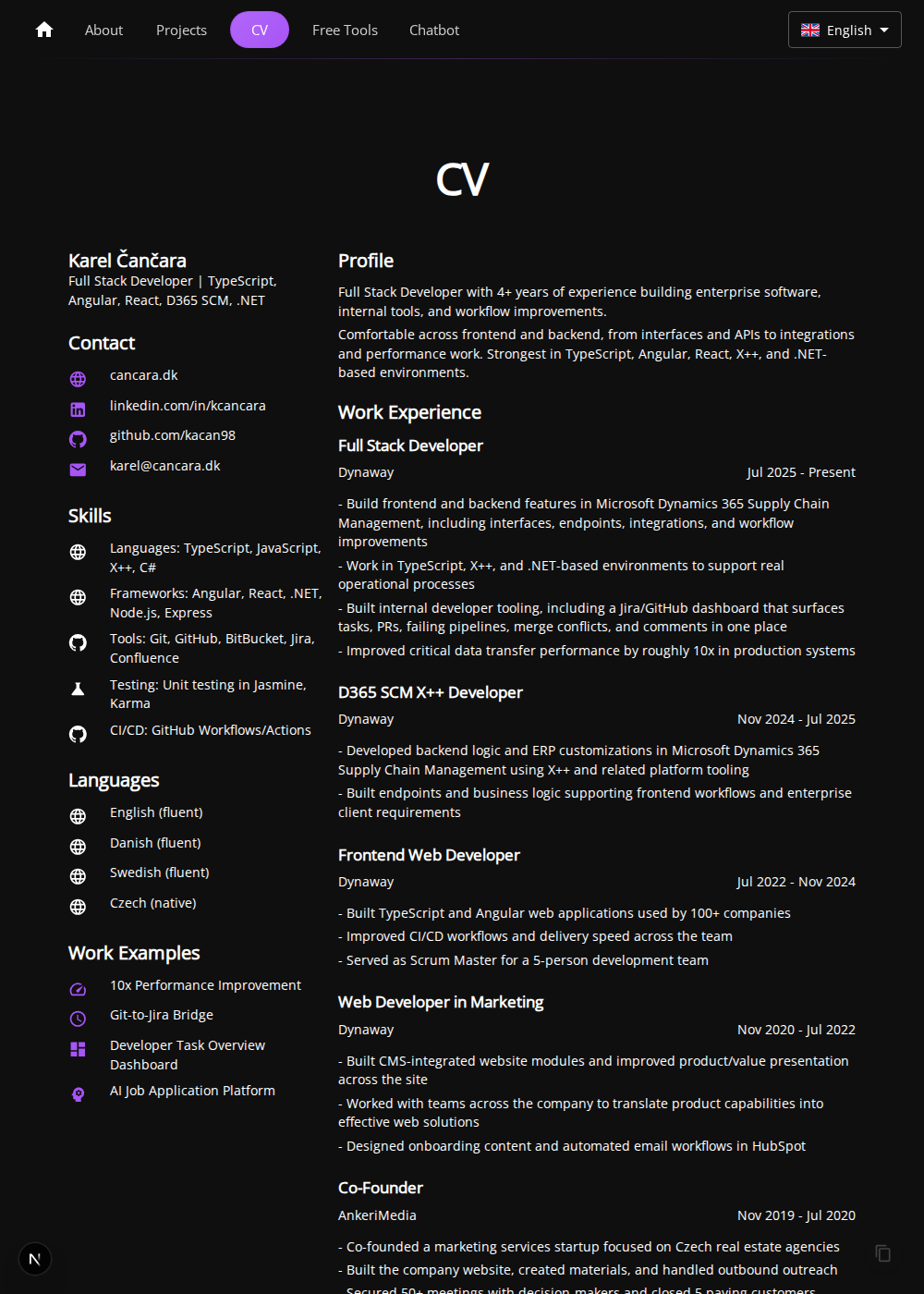
The hidden part is almost a small joke: clicking the page header reveals the password prompt. I like that because it keeps the editing flow available without turning the whole site into an admin dashboard.
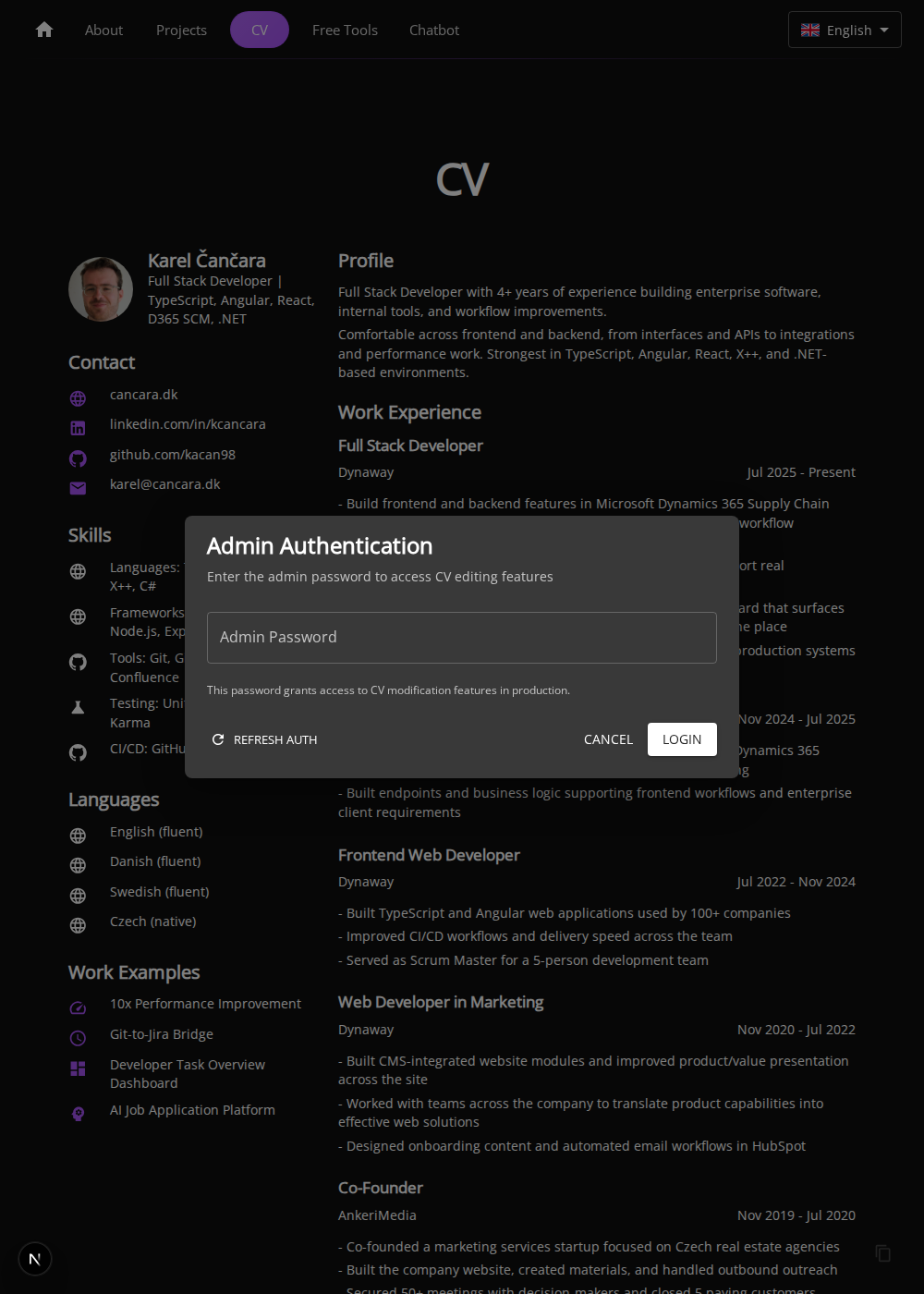
Step 2: the same page turns into an editing workspace
After login, the page becomes a working editor instead of a static document. I can still see the final CV exactly as a recruiter would read it, but now I get the tools needed to tailor it in place.
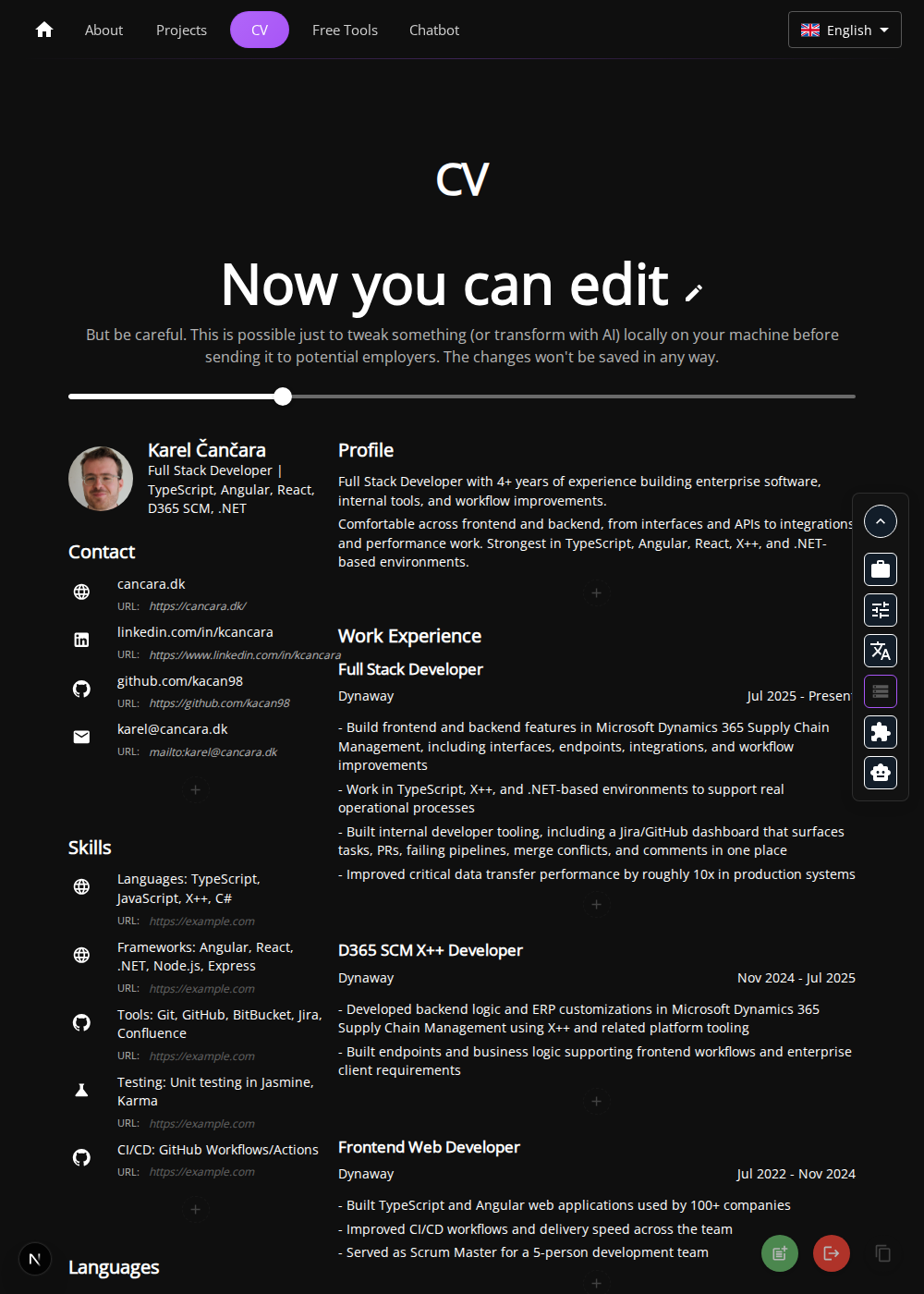
This is the main product decision behind the flow: stay close to the final output. I do not want a separate admin tool with a separate preview and another export step if I can avoid it.
Step 3: start from the browser, not from a blank text box
One entry point is the Chrome extension. The goal is simple: when I find a relevant job posting, I should be able to move it into the CV workflow quickly instead of manually rebuilding the context every time.
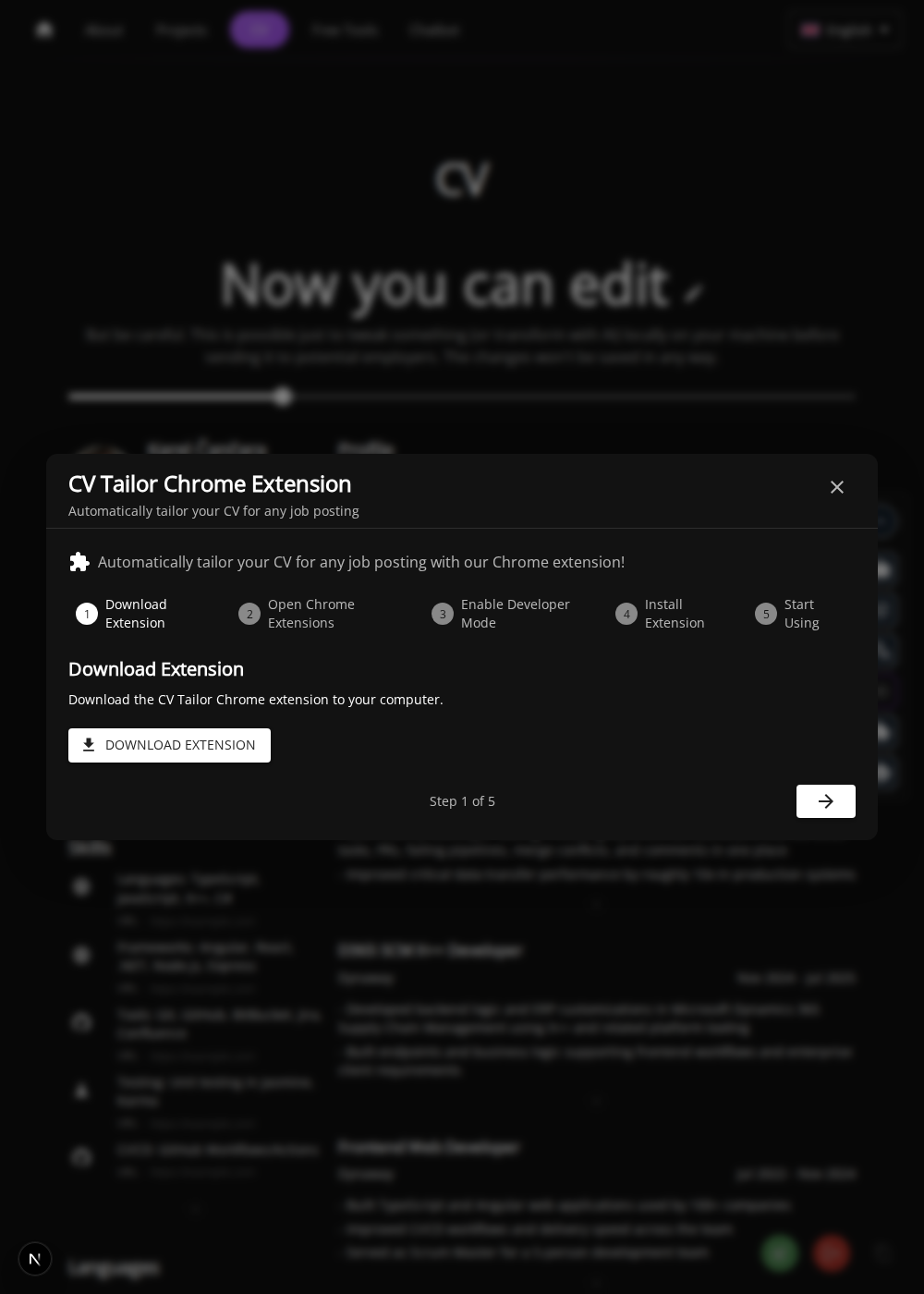
That sounds small, but it removes a lot of friction. The best workflow is usually the one that reduces the number of tabs and decisions.
Step 4: paste the job description and let the CV adapt
If I already have the role description, I can paste it directly into the adjustment flow. The interface is deliberately simple because the important thing is the brief itself, not a long list of settings.
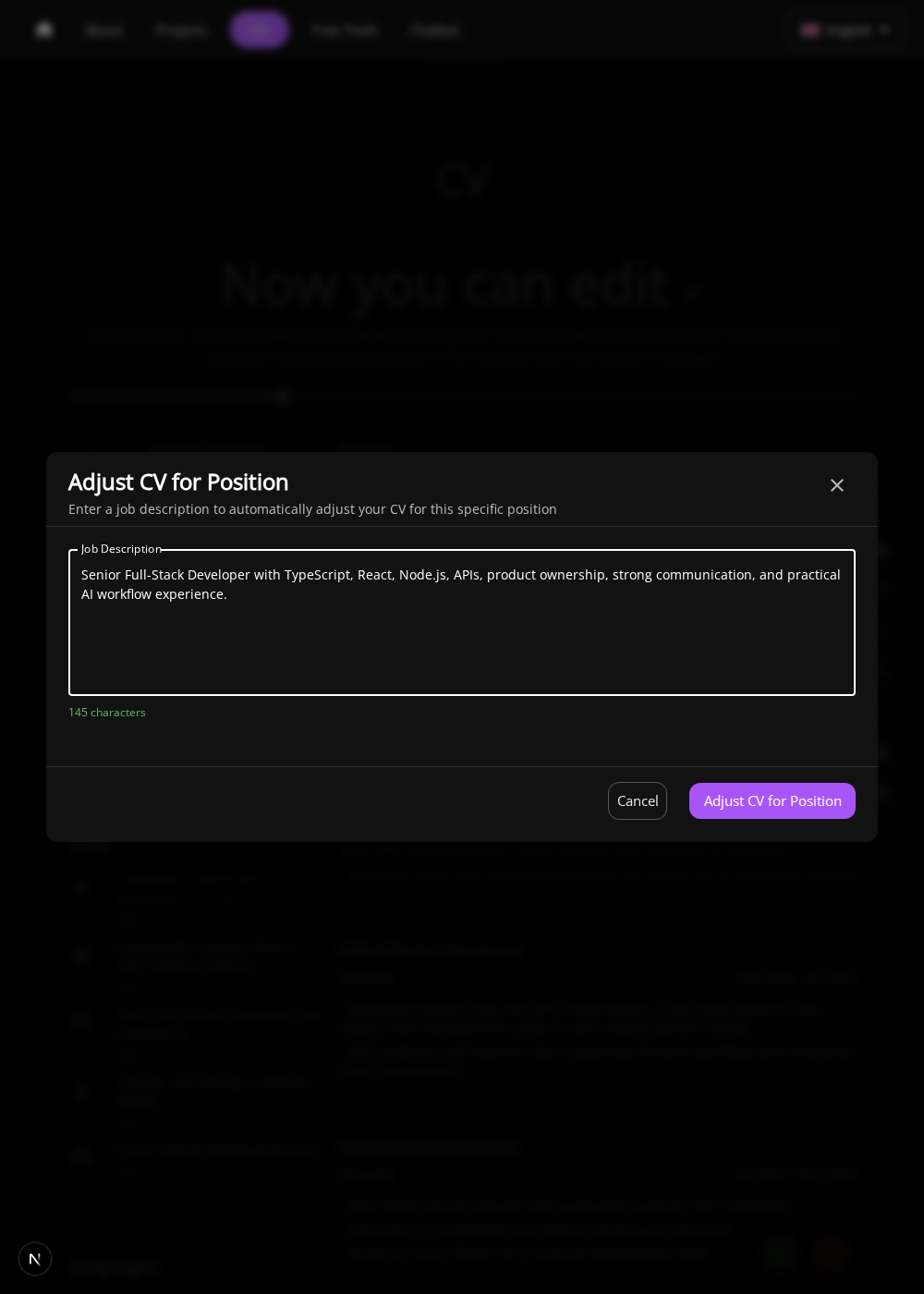
This is where the local-only tool became worth productizing. I was already doing this repeatedly by hand. Moving it into the site made the process faster, more consistent, and easier to review.
Step 5: AI can help, but every change stays reviewable
The most important part is not generating changes. It is reviewing them. After the CV is adjusted, I can inspect what changed directly on the page instead of trusting an invisible rewrite.
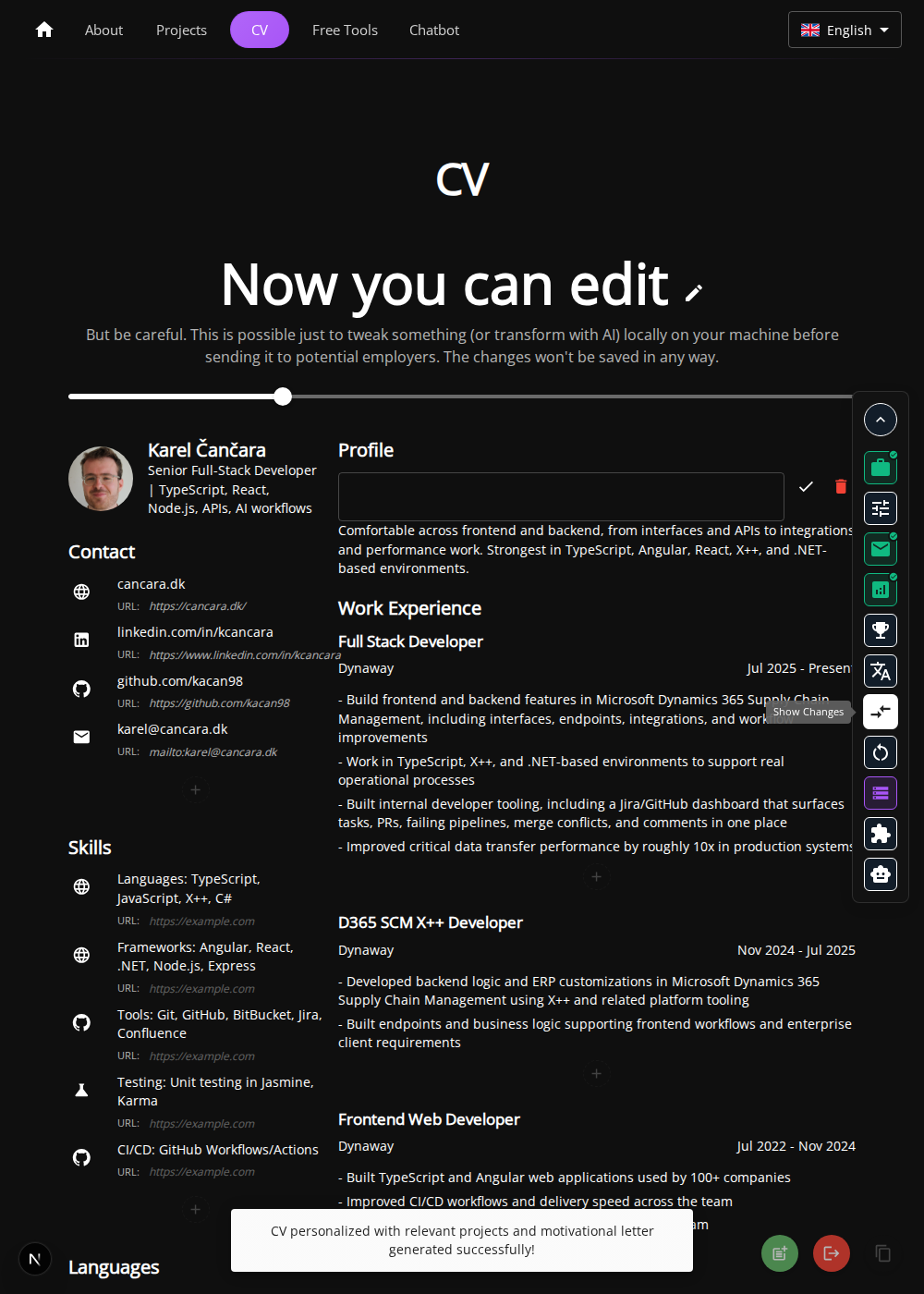
This is the part I would want a recruiter or client to notice. The AI is useful, but it is not treated like magic. The workflow keeps the output transparent, editable, and easy to validate before I use it.
Step 6: translation stays inside the same flow
If I want to produce another language version, I can do it without leaving the same workspace. That matters because translation is part of the real application process, not an afterthought.
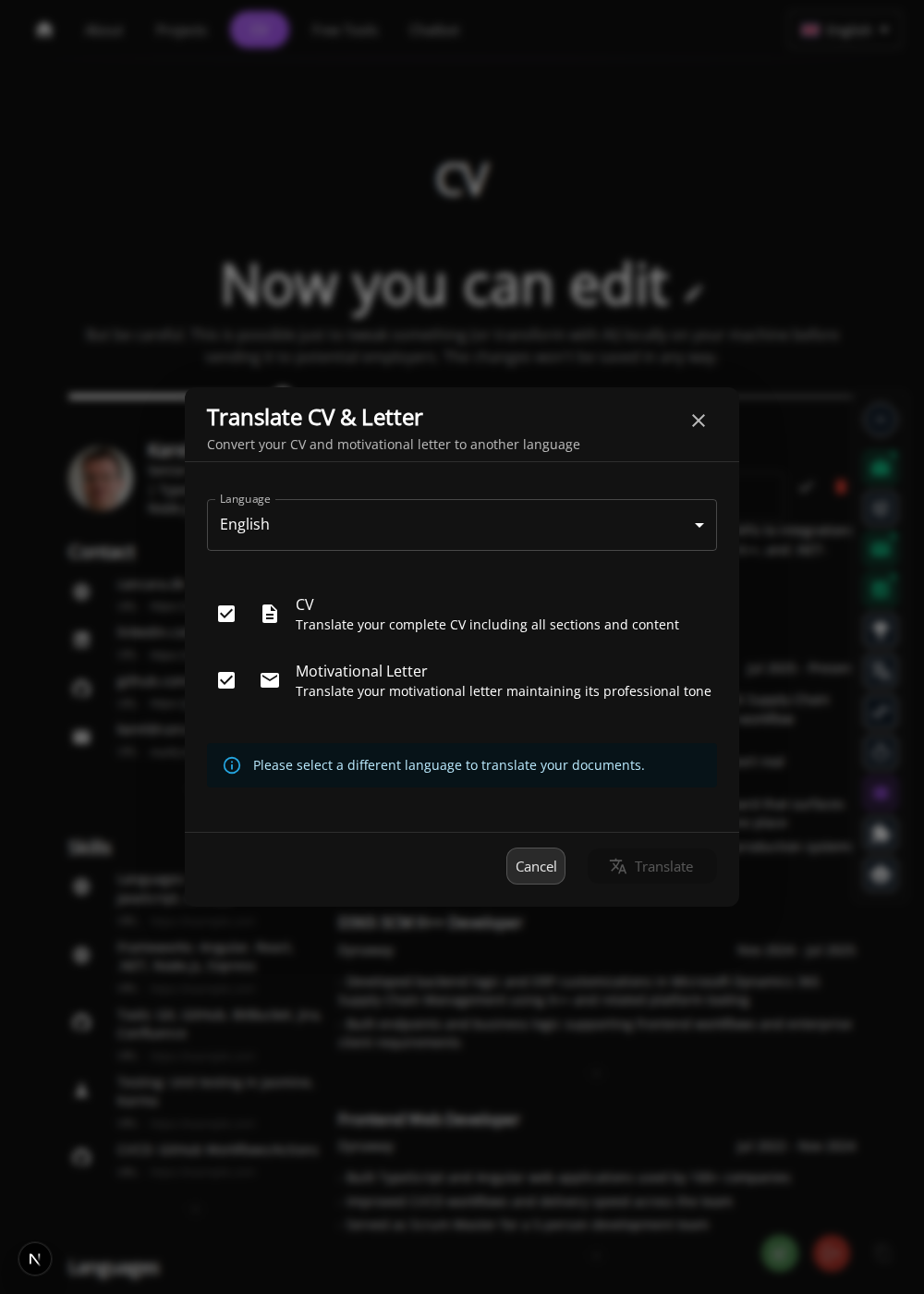
Keeping translation in the same place means the workflow stays coherent from start to finish: capture the role, tailor the CV, review the diff, and prepare the right version for the audience.
Why I think this is worth showing
This is not the whole website. It is a very specific product idea hidden inside it: a private application workshop built on top of a public CV.
I think it reflects the kind of developer I am in a useful way. I like tools that solve a real repeated problem, I like keeping advanced features out of the way until they are needed, and I like AI features best when they are practical, inspectable, and grounded in a real workflow.